Nickname Generator
Type a word or name, pick a look, and get a batch of decorated nicknames ready for a bio, a profile, or a game.
Browse all 16 Blend Names generators
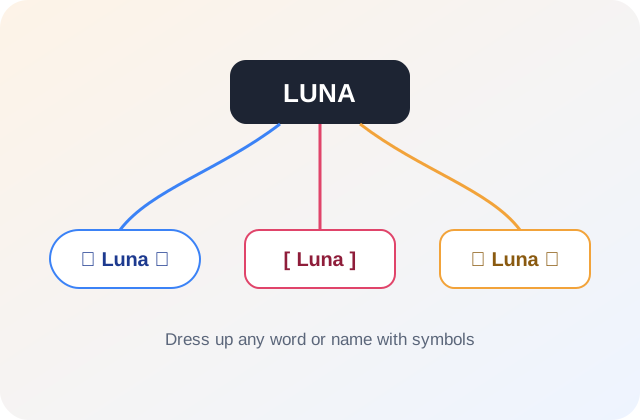
What is the nickname generator?
A nickname generator is a tool that decorates a word or name with symbols and stylized formatting — brackets, dots, stars, or repeated letters — to create an eye-catching display name for games and social profiles, rather than shortening or translating the word itself.
Good for
- A stylized display name for Discord, Instagram, Facebook, or TikTok
- A decorated in-game nickname to stand out on a leaderboard or in a clan
- A cute or aesthetic username for a fan account
- A dressed-up name for a forum, community server, or fandom profile
- A stylized name for a wedding or event hashtag
- A dark or moody handle for a themed profile or persona
- A stylish esports lobby name for Free Fire, PUBG, or a Twitter handle
What makes this nickname generator different.
Specific, checkable things this tool actually does — not a marketing claim.
- Sticks to common, widely-supported symbols and punctuation, not exotic Unicode characters that render as boxes on some devices
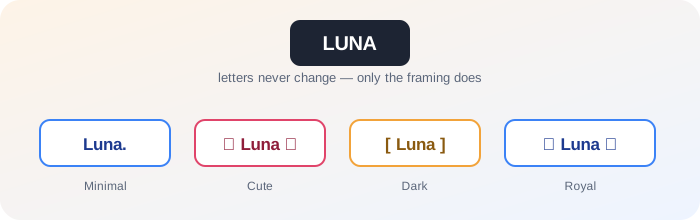
- Four genuinely distinct decoration styles (Minimal, Cute, Dark, Royal), not one symbol set reused with different labels
- Keeps the original word’s letters completely unchanged — only the framing around it changes
- Works on any word, name, or short phrase, not just names
- Runs entirely in your browser — nothing you type is sent to a server or stored
I built this after one too many "fancy text" results showed up as little empty boxes on someone else’s phone. Those elaborate Unicode font generators look great on the device that made them and break everywhere else. I kept this one to symbols that are old and boring enough that basically every device already knows how to draw them.
Same name, a little more style.
Symbols and formatting wrapped around the word you already have — nothing shortened, nothing translated.
How the nickname generator works.
- 1
Enter the word or name you want to decorate.
- 2
Pick a look — Minimal, Cute, Dark, or Royal (optional).
- 3
Select "Find some sparks" to generate a batch of stylized nicknames.
- 4
Copy the one you like, or generate again for a different batch.
Nickname Generator vs. similar-sounding tools.
Nickname Finder
shortens a real first name into a simpler, more natural version. A nickname generator instead decorates any word or name with symbols — it never shortens or reshapes the letters.
Gamertag Generator
fuses your name with gaming-culture words to build a new gaming-specific name. A nickname generator keeps your original word intact and decorates around it instead.
Fancy text / font converter
swaps your letters for lookalike Unicode characters, which can render as boxes on some devices. A nickname generator adds symbols around your text while keeping the letters themselves standard and reliably readable.
How to pick the best one.
A longer list is only useful if you know what to check before you commit.
Check it on a small screen
Heavily decorated nicknames can wrap awkwardly on mobile. Preview it the way most people will actually see it.
Count the characters
Symbols count toward most platforms’ character limits. Count the full decorated version, not just the base word.
Match the platform
A "Royal" style might suit a fandom profile but feel out of place on a professional-adjacent bio — pick the look that fits where it is going.
Read it without the symbols
Make sure the underlying word is still clearly legible once you strip the decoration away in your head — the symbols should support it, not replace it.
Common mistakes to avoid.
- Picking a heavily decorated result for a platform with a short character limit — the symbols count toward the limit too.
- Using exotic symbols that do not render the same on every device — sticking to common punctuation keeps it readable everywhere.
- Decorating a name that is already hard to read — the symbols should frame the name, not bury it.
- Settling on the first style tried — the same word can look completely different as "Royal" versus "Minimal."
Don’t hunt for perfect. Hunt for a reaction.
Say it out loud. A name has a rhythm before it has a spelling.
Make a short list. Five maybes are more useful than one forced favorite.
Let it sit. The right name often gets better after a little space.
Nickname Generator FAQ.
How is a nickname generator different from a nickname finder?
A nickname finder shortens a real name into a simpler version, like Amelia into Mia. A nickname generator instead decorates any word with symbols and formatting — it doesn’t shorten anything, it dresses it up.
What is the difference between the Minimal, Cute, Dark, and Royal looks?
Minimal adds light, clean touches like a single dot or dash. Cute uses soft symbols like stars and hearts-adjacent shapes. Dark leans on sharper symbols and brackets. Royal wraps the name in crown-and-flourish-style symbols.
Can I use this for a Discord or gaming display name?
Yes — that is one of the most common uses. Just check the platform’s character limit before copying a longer result.
Does the nickname generator work with names in any language?
It works with any text typed in standard Latin letters, including accented characters. The decoration is added around the word rather than changing the letters themselves.
Is this nickname generator free to use?
Yes. No sign-up, no limit on generations, and nothing you type is stored or sent anywhere.
Will the symbols display correctly everywhere?
The generator sticks to common, widely supported symbols and punctuation rather than obscure Unicode characters, so results should display consistently across most apps and platforms.
Can I combine two words instead of just one?
Type them together in the single field, like "Luna Bay" — the decoration wraps around whatever you enter as one nickname.
Does this generate bubble text, gothic, or blackletter-style fonts?
No — those font styles work by swapping your letters for lookalike Unicode characters, which look great on the device that made them but often show up as empty boxes on someone else’s phone. This tool keeps your actual letters standard and adds symbols around them instead, so it stays readable everywhere.